Operations
Make the work visible
Bring operational context, exceptions and follow-up into a calmer working view.
 ORQENTRAOperational intelligence
The platform
Operations, Scheduler and My Work connect the people planning the day with the people delivering it. Each view has a clear purpose; together they make change easier to understand.
Operations
Bring operational context, exceptions and follow-up into a calmer working view.
Scheduler
Use planning and review to understand the implications of a change before it is acted on.
My Work
Give field teams a focused view of the work and its current state.
The people using Orqentra do not need the same screen. They need a clear handover between their decisions.
A preview is a draft; the final commit is a separate action.
Scheduling a job is not proof of arrival, completion or safe arrival home.
What a person can see or change depends on their named account and permissions.
Explore how the Scheduler brings the work bucket and the day's timeline together. The guided walkthrough shows a controller reviewing options before committing a decision.
Open the guided walkthrough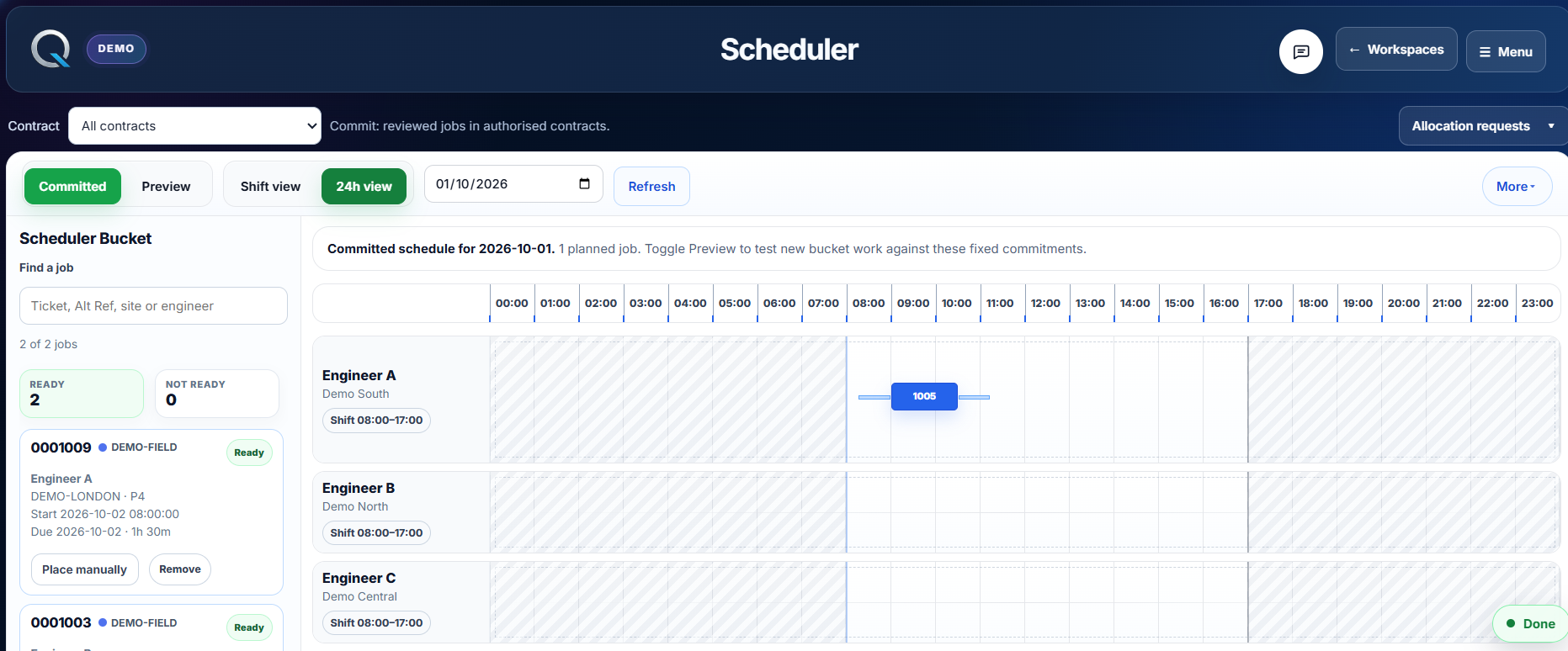
Where it fits
Orqentra is built for teams coordinating people, places and shifting priorities, from telecoms and EV infrastructure to field maintenance.
Give controllers a way to view the queue, review engineer fit and respond when a site or fault changes the day.
Compare location, availability and the next job before asking an engineer to cross the region unnecessarily.
Keep the planned visit, field progress, site context and follow-up understandable after the work is done.
A useful demonstration starts with your workflow, constraints and questions
Built with control
Controllers can preview a schedule, review feasibility and commit deliberately. Each stage stays visible to the people responsible for the decision.
Read our approach